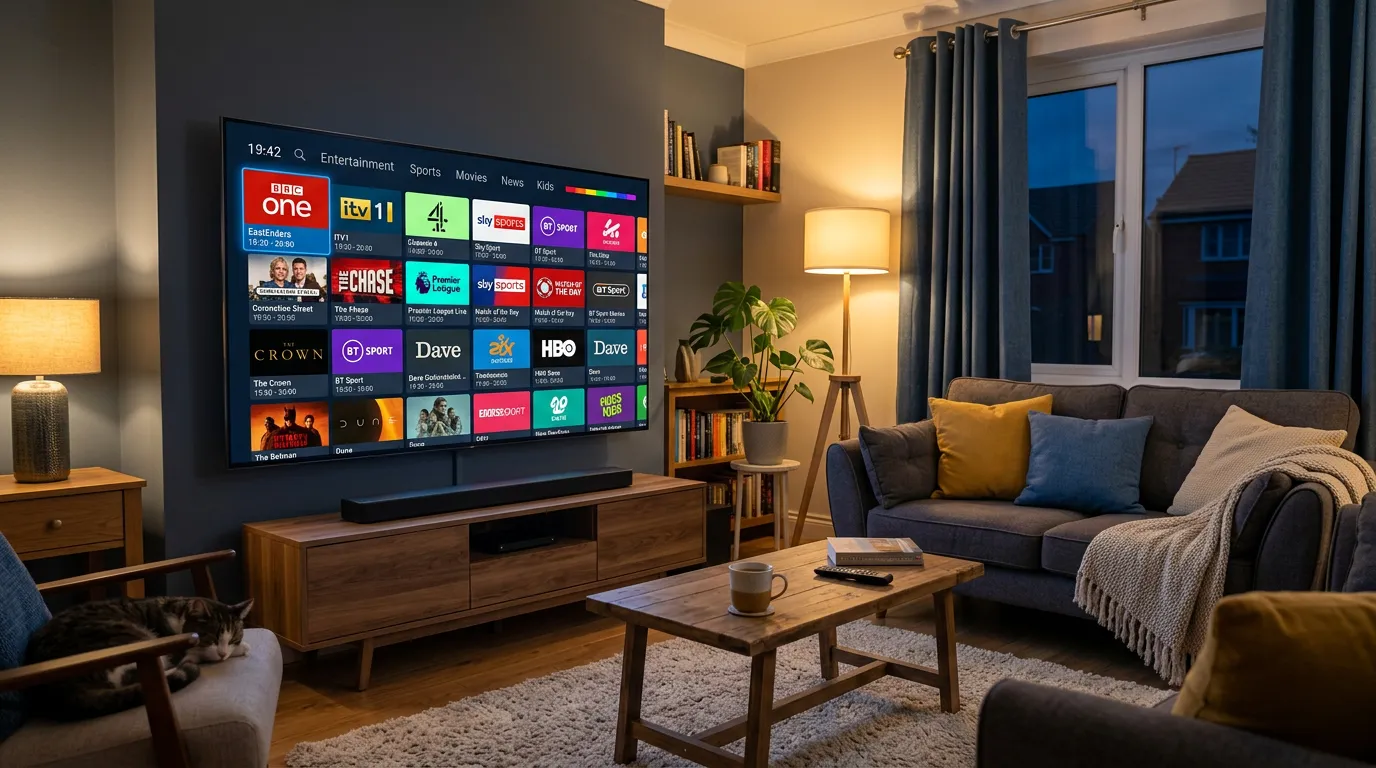
Your smart TV is sitting right there in your living room, doing about ten percent of what it could be doing. If you are still flicking through Freeview or paying Sky seventy quid a month, it is time for a serious upgrade. IPTV for smart TV in the UK lets you turn that screen into a full entertainment powerhouse — thousands of live channels, movies, series, catch-up, and every sport you can think of. No dish on the roof. No engineer visit. No contract.
The best part? Setting it up takes less time than making a cup of tea. This guide walks you through everything — which smart TVs work, which apps to use, what to avoid, and how to get the absolute most out of your IPTV smart TV setup in the UK.
Which Smart TVs Work With IPTV in the UK?
Short answer: almost all of them. If your TV connects to the internet and has an app store, it supports IPTV. Here is a breakdown by brand.
Samsung Smart TV
Samsung runs Tizen OS. You can install Smart IPTV or SS IPTV directly from the Samsung App Store. Smart IPTV charges a one-off fee of about four or five pounds — after that it is yours permanently. Once installed, enter your playlist credentials and your channels load in seconds.
LG Smart TV
LG runs webOS and supports Smart IPTV through the LG Content Store. The setup is nearly identical to Samsung — install, enter your MAC address and M3U URL, and you are live. LG’s remote makes channel switching a breeze.
Sony, Philips, TCL, and Hisense
These brands mostly run Android TV or Google TV, which means you get full access to the Google Play Store. That opens the door to TiviMate, IPTV Smarters Pro, and a dozen other quality apps. Android TV is honestly the easiest platform for IPTV because there are no restrictions on what you can install.
Fire TV Edition
Some TVs ship with Amazon’s Fire OS built in. These work exactly like a Firestick — same app store, same sideloading options, same performance. If you already know how to use IPTV on a Firestick, this is identical.
For a deeper look at Firestick-specific setup, check out our IPTV for Firestick UK guide.
Best IPTV Apps for Smart TV in the UK
The app you choose makes a massive difference to your experience. Here are the ones worth your time.
TiviMate — If your TV runs Android, this is the gold standard. Beautiful EPG layout, catch-up support, favourites, recording, and silky smooth channel switching. It is the app that makes IPTV feel like a proper television experience rather than a clunky tech project.
IPTV Smarters Pro — Works across Samsung, LG, Android, Firestick, and even phones. Slightly less polished than TiviMate but incredibly versatile. If you have multiple devices, Smarters keeps everything consistent.
Smart IPTV — The go-to for Samsung and LG owners. Dead simple interface, reliable performance, and it loads channels fast. Not as feature-rich as TiviMate but it does exactly what you need.
GSE Smart IPTV — Good cross-platform option if you switch between devices regularly. Works on iOS too, which is handy for watching on your phone or iPad.
How to Set Up IPTV on Your Smart TV
Regardless of your TV brand, the process follows the same basic flow.
First, subscribe to an IPTV service. You will receive login credentials — usually a username, password, and server URL (called Xtream Codes) or an M3U playlist link.
Second, download an IPTV app from your TV’s app store. Pick one from the list above based on your TV brand.
Third, open the app and enter your credentials. Most apps have a simple login screen where you type in your details.
Fourth, wait about thirty seconds for the channel list to load. Once it does, you are watching live television. That is genuinely it.
The whole process from opening the app store to watching your first channel takes under five minutes on most smart TVs. No aerial, no dish, no cables, no waiting for an engineer.
For a broader look at IPTV setup across different devices, our IPTV setup UK guide covers everything step by step.
Finding a Service That Actually Works on Smart TV
Here is the thing most guides will not tell you — the app is just the player. The real difference is the service behind it. You could install the best app in the world, but if the IPTV provider behind it runs cheap servers, you are going to get buffering, missing channels, and a terrible EPG.
One service that keeps coming up among UK smart TV users is Golden TV. It works cleanly with TiviMate, IPTV Smarters, and Smart IPTV straight out of the box. No messing about with settings, no random channel dropouts during peak hours, and the EPG actually shows accurate programme listings instead of blank rows.
If you want to test it on your own smart TV before committing, reach out to them on WhatsApp and ask for a trial.

Tips to Get the Best Performance From IPTV on Smart TV
IPTV is only as good as your setup. Here are the things that actually make a difference.
Use a wired connection. Every smart TV has an ethernet port on the back. Plug it in. WiFi works, but a wired connection eliminates buffering caused by interference from other devices, walls, or your neighbour’s router. This single change fixes ninety percent of buffering complaints.
Check your broadband speed. You need at least ten megabits per second for stable HD streaming. For 4K, aim for twenty-five or above. Run a speed test on your TV or phone — if your speeds are below this, call your broadband provider before blaming your IPTV service. You can check your speed at Speedtest.net.
Clear the app cache regularly. Especially on Samsung and LG TVs, IPTV apps can slow down over time. Go into your TV’s settings, find the app, and clear its cache once a week. Takes ten seconds and keeps things running smoothly.
Turn off your VPN. If you have a VPN running on your router or TV, it adds latency. Most UK IPTV services do not require a VPN and actually perform worse with one active.
Keep your TV firmware updated. Manufacturers push updates that fix app compatibility issues and improve streaming performance. Check for updates every couple of months.
For more technical troubleshooting, our IPTV buffering fix guide covers every common issue and how to solve it.
What Channels Can You Get Through IPTV on Smart TV?
This depends entirely on the service you subscribe to, but a good UK IPTV provider will give you everything you currently get through Sky, Virgin, or Freeview — plus a lot more.
Expect all UK free-to-air channels: BBC One, BBC Two, ITV, Channel 4, Channel 5, and all their HD variants. On top of that, premium sports channels including Sky Sports, TNT Sports, and BT Sport. Movie channels, kids channels, documentary channels, music channels, and usually a massive library of international channels covering everything from Arabic to Hindi to French.
Most decent services also include a video-on-demand library with thousands of films and box sets, plus catch-up TV so you never miss anything.
For a detailed breakdown of what is available, see our IPTV channels UK guide.
Is IPTV Legal on Smart TV in the UK?
IPTV as a technology is completely legal. There is nothing illegal about streaming television content over your internet connection — BBC iPlayer, ITVX, and NOW TV are all technically forms of IPTV.
The legal question is about the content, not the technology. If an IPTV service is streaming copyrighted content without proper licensing, that is where it becomes a grey area. Your responsibility as a user is to choose a reputable provider and use the service for its intended purpose.
For a full breakdown of the legal landscape, Ofcom’s broadcasting guidance is the best official resource.
Frequently Asked Questions
Can I use IPTV on my Samsung smart TV?
Yes. Samsung smart TVs support IPTV through apps like Smart IPTV and IPTV Smarters Pro, both available in the Samsung App Store. Install the app, enter your subscription credentials, and you are ready to watch.
Do I need a Firestick if I have a smart TV?
Not necessarily. If your smart TV has a good app store and decent processing power, it can run IPTV apps natively. However, older or budget smart TVs sometimes struggle with 4K streams. In that case, a Firestick plugged into the HDMI port gives you better performance for about thirty pounds.
What internet speed do I need for IPTV on smart TV?
For HD streaming, ten to fifteen megabits per second is sufficient. For 4K, aim for twenty-five megabits per second or higher. A wired ethernet connection is always more reliable than WiFi for live television.
Is IPTV free on smart TV?
The apps themselves are free or very cheap (Smart IPTV charges a one-off five pounds). However, you need a subscription to an IPTV service to get channel access. Subscriptions typically cost between eight and twenty pounds per month depending on the provider and plan length.
Can I watch IPTV on multiple smart TVs in my house?
This depends on your subscription plan. Most providers offer multi-device or multiroom options that let two or more screens stream simultaneously. Check with your provider before assuming one subscription covers the whole household.
Why is my IPTV buffering on smart TV?
The three most common causes are slow internet, WiFi interference, and an overloaded IPTV server. Try switching to a wired connection first. If that does not fix it, test your broadband speed. If speeds are fine and it still buffers, the problem is likely the service itself — not your setup.
Does IPTV work on older smart TVs?
It depends on the model. Smart TVs from the last five or six years generally handle IPTV well. Older models may have limited app stores or slower processors that struggle with HD streams. If your TV is more than seven years old, a Firestick or Android TV box is a better option than trying to force IPTV onto an outdated platform.
Final Thoughts
Your smart TV already has everything it needs to run IPTV. You do not need extra hardware, you do not need a satellite dish, and you definitely do not need to keep paying Sky prices for a fraction of the content.
Pick the right app for your TV brand, connect to a reliable IPTV service, and plug in an ethernet cable. That is the entire recipe. Five minutes of setup and you have access to more live television, sport, and entertainment than any cable package on the market.
If you want a service that works straight out of the box on any smart TV, Golden TV is worth a look. Reach them on WhatsApp, grab a trial, and test it yourself.
This website is for informational purposes only. We may recommend third-party services based on user feedback and testing. All trademarks belong to their respective owners.